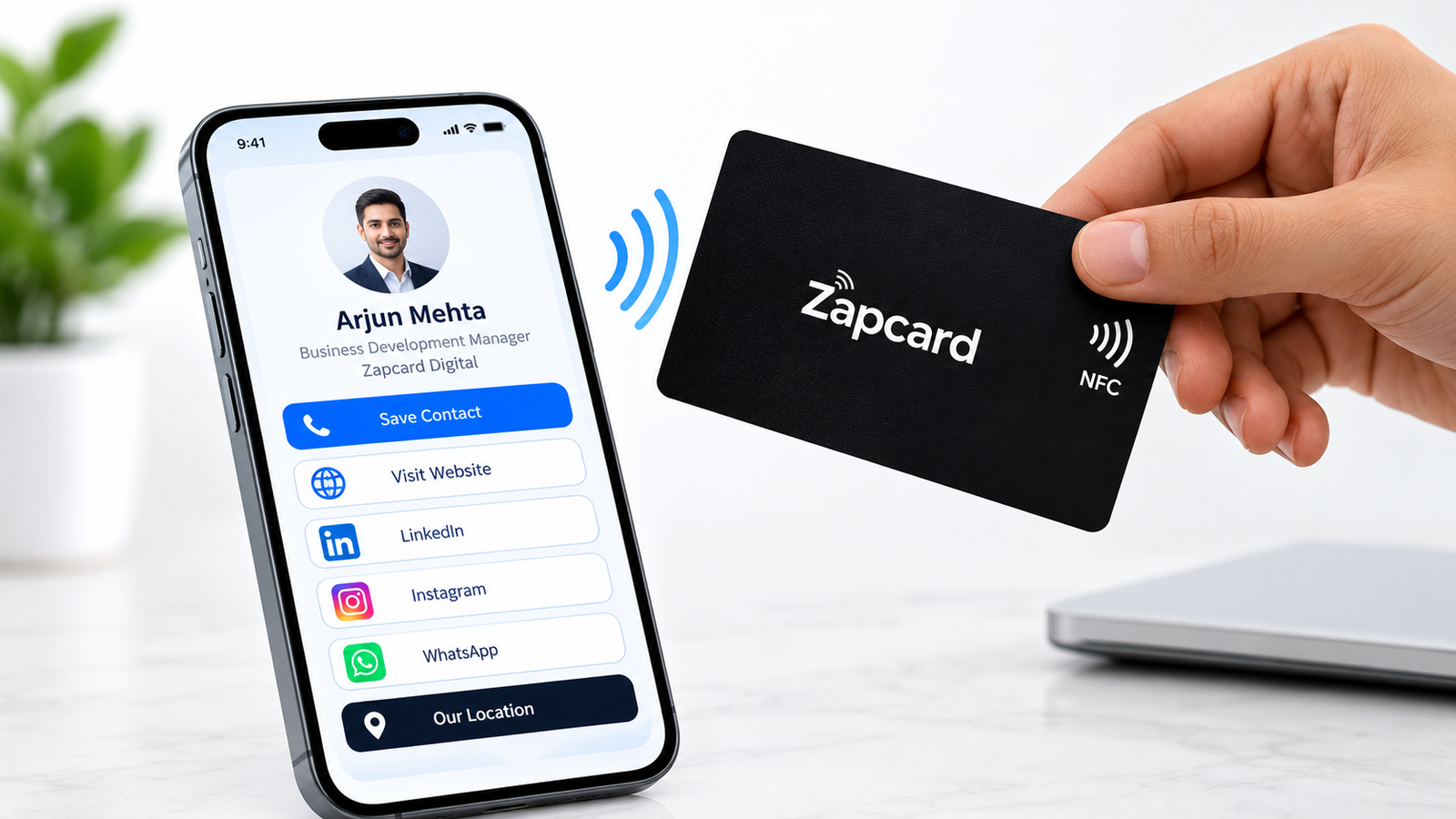
How to Choose the Best NFC Business Card in India: 7 Essential Tips
Choosing the right card means evaluating the physical product, digital profile, technology, and overall cost. Use these seven tips to compare your options.
1. Check NFC Compatibility and Tap-to-Share Functionality
The first thing to check is whether the NFC business card works with the smartphones your contacts are likely to use.
NFC technology enables short-range communication. In a business card, the chip is typically configured to open a particular link when a compatible phone reads it.
Before purchasing, check the following:
- Smartphone compatibility: Confirm that the card works with supported NFC-enabled devices.
- Correct tapping position: Different phones have NFC reading areas in different locations.
- Destination accuracy: Make sure the tap opens the correct digital profile.
- Ease of setup: Check the activation instructions provided by the seller.
- Reliable performance: Test the card on a compatible phone before using it professionally.
We use NFC tap functionality to help recipients access a linked digital profile. Its QR code access provides another way to open the profile when tapping is not convenient.
Why this matters: A card should make sharing information easier. Checking its functionality before buying helps you avoid problems during professional interactions.
2. Choose a Customizable Digital Profile
The digital profile is one of the most important parts of an NFC business card. The physical card provides access, while the profile displays your professional information.
Look for a profile that is easy to navigate on mobile devices and supports the links relevant to your work.
Consider whether you can include:
- Your name, designation, and company details.
- Phone number and email address.
- Website and portfolio links.
- LinkedIn and other professional social profiles.
- Business services and relevant information.
- Other useful links supported by the platform.
For example, a consultant may want to highlight services and a booking link, while a business owner may prioritize the company website, product information, and contact details.
Zapcard offers customizable digital profile functionality for sharing supported contact details, social media links, and business information.
Why this matters: A well-organized profile gives recipients a convenient way to explore your professional information without searching for multiple links.
3. Check Whether You Can Update Your Profile Information
Your professional information may change over time. You might change your phone number, update your website, move to a different company, or add new social media links.
Traditional printed business cards generally need to be reprinted when details change. An NFC card connected to an editable online profile can make supported updates easier.
Before choosing a provider, ask:
- Can you update your phone number and email address?
- Can you edit your website and social media links?
- Can you update your profile after activating the card?
- Are updates included in the purchase price?
- Are there subscription fees or feature restrictions?
Zapcard provides profile management functionality for updating supported contact details and links.
When the linked profile can be edited, you may be able to update your information without replacing the physical card each time a detail changes.
Why this matters: Easy profile updates help you maintain accurate information and reduce the need for repeated printing.
4. Look for QR Code Support Alongside NFC
NFC is convenient, but not every recipient will be able to use it in every situation. QR code support gives people another way to access your digital profile.
Here is how the two technologies differ.
NFC sharing
- Uses short-range wireless communication.
- Allows a compatible smartphone to access a programmed link through a tap.
- Does not generally require the recipient to open the camera first.
- Depends on device compatibility and correct card positioning.
QR code sharing
- Uses a visual code that can be scanned with a compatible smartphone camera or QR scanner.
- Provides an alternative when NFC is unavailable.
- Requires the code to be visible and clear enough to scan.
- Can be convenient when sharing a profile from a printed card or screen.
Zapcard supports NFC and QR-based access to its digital profile, allowing recipients to choose the method that works best for their device.
Why this matters: Having both methods can make your contact information accessible to a wider range of recipients.
5. Compare Card Material, Design, and Customization
Your business card represents your professional identity. Choose a design that suits your industry, personal style, and brand.
Common NFC business card materials include
- PVC: A practical option for everyday use.
- Metal: Suitable for those who prefer a premium-looking finish.
- Wood: An alternative for people who prefer a natural material and distinctive appearance.
The finish, durability, and available features vary by product, so check the specifications before ordering.
You should also consider:
- Logo and brand customization.
- Color and finish options.
- Readability of printed details.
- Card size and portability.
- Suitability for daily use.
Zapcard offers PVC, metal, wooden, and customizable NFC card options. Compare the available designs and specifications to choose one that matches your needs.
Why this matters: A suitable design helps maintain a consistent professional image while making the card practical to carry and use.
6. Understand the Total Cost Before Buying
Price is an important consideration when looking for the best NFC business card in India. However, the lowest initial price does not necessarily represent the best overall value.
The total cost may depend on the material, customization, profile features, and provider’s pricing model.
Before ordering, check:
- Initial card price.
- Custom printing and branding charges.
- Digital profile features included.
- Recurring subscription or renewal fees.
- Delivery charges and estimated delivery time.
- Replacement terms and customer support.
- Bulk pricing for teams and organizations.
Also consider your networking habits. Someone who regularly attends conferences may value flexible profile management, while someone who needs only basic contact sharing may prefer a simpler solution.
Review Zapcard’s current product pricing and include features on its official website before making a purchase.
Why this matters: Understanding the total cost helps you compare products fairly and avoid unexpected expenses.
7. Review Activation, Customer Support, and Ease of Use
An NFC business card should be straightforward to set up and use. Before purchasing, understand the activation process and the support available if you encounter a problem.
A typical setup process includes:
- Choose a card: Select the design and material that suit your needs.
- Follow the activation instructions: Use the activation details supplied with your order.
- Create your profile: Add the contact details, business information, and links you want to share.
- Review your information: Confirm that the details are accurate and links work correctly.
- Test NFC functionality: Tap the card against a compatible smartphone.
- Test QR access: Scan the QR code if one is provided.
- Check support options: Understand how to get help with activation or profile issues.
Before using your card at a business event, make sure the correct profile opens, and the information is up to date.
Zapcard provides digital profile functionality alongside NFC and QR sharing. Review its current activation instructions and support terms to understand exactly how your selected product works.
Why this matters: A clear setup process and accessible support can make it easier to use your card confidently.
7 Essential Features to Check When Choosing an NFC Business Card
| Feature | What to Look For | Zapcard Feature |
| NFC Technology | Tap-to-share functionality | NFC-enabled contact sharing |
| Digital Profile | Multiple contact and business links | Customizable digital profile |
| Profile Management | Ability to update supported details | Digital profile management |
| Dual Sharing Options | NFC and QR code access | NFC tap and QR sharing |
| Card Material | Options for different styles and budgets | PVC, metal, and wooden cards |
| Branding Options | Personalized design and business identity | Customizable card options |
| Team Requirements | Options for business orders | Ask Zapcard about available bulk-order options |
What to Check Before Buying an NFC Business Card
Before ordering an NFC business card, review the product specifications and service details carefully. These checks can help you make an informed purchasing decision.
- Product specifications: Check the card material, NFC functionality, QR code availability, and customization options listed for your selected product.
- Digital profile features: Confirm which contact details, social links, and business information you can display.
- Profile updates: Check whether you can edit your digital profile after purchase and whether any restrictions or additional fees apply.
- Pricing transparency: Review the card price, customization charges, shipping costs, and any recurring fees before placing an order.
- Activation instructions: Make sure you understand how to activate the card, set up your profile, and test NFC and QR functionality.
- Customer support: Review the available support channels and the process for resolving activation or product-related issues.
For Zapcard Digital, compare the features and specifications of your preferred card with your requirements before ordering. Reviewing these details helps you choose a product based on its actual capabilities rather than appearance or price alone.
Explore the official Zapcard Digital website to review available products, features, and current prices.
Why Consider Zapcard for Your NFC Business Card?
We offer NFC business card options designed to help professionals share their contact information through a linked digital profile. Depending on the selected product and available features, users can explore:
- Contact sharing: Access a linked digital profile through NFC.
- QR code access: Use QR scanning as an alternative sharing method when supported.
- Digital profile: Present relevant contact details, professional links, and business information.
- Card designs: Compare available materials and customization options.
- Profile management: Check which profile details can be updated after purchase and whether any fees or restrictions apply.
Before ordering, review Zapcard’s current product specifications, pricing, activation instructions, and service terms to confirm which features are included with your selected card.
Final Thoughts
Choosing the best NFC business card in India involves comparing NFC compatibility, digital profile features, QR code support, card design, pricing, and customer support.
Zapcard Digital offers NFC business card options for professionals who want to share their contact information digitally. Review the available features and pricing to find an option that suits your networking needs.
Ready to network more conveniently? Explore Official Zapcard Digital and find a card that suits your professional needs.
Zapcard Digital — Tap. Share. Connect.